

When buying or designing a LED panel, the dimensions LED Dimensions (pixels per pixel) are one of the first aspects to be considered. They determine the screen resolution, the pixel density and overall visual performance. Whether for a outdoor or a videowall, Understanding how LED dimensions work will help you choose the ideal configuration for your project.
What is Dimensions LED?
LED Dimensions This refers to the physical dimensions of an LED module or panel, usually expressed in width x height (in millimeters). For example, a typical LED module might measure 320 mm x 160 mm or 250 mm x 250 mm. These modules are then combined to form a larger display.
Each module contains a grid of LED pixels. The number of pixels depends on the spacing between pixels (pixel pitch), which is the distance between the centers of two adjacent pixels (for example, P2.5, P4, P6, etc.). The smaller the spacing between pixels, the higher the resolution.
Common dimensions of LED modules
Here are some standard module dimensions used in different types of LED displays:
| Module type | Dimensions (mm) | Common pixel step |
| 320 x 160 mm | P2.5, P3.931, P4.81 | Indoor and outdoor display |
| 250 x 250 mm | P1.9, P2.6, P2.9 | High-resolution video walls for indoor environments. |
| 480 x 320 mm | P5, P6, P8 | Outdoors |
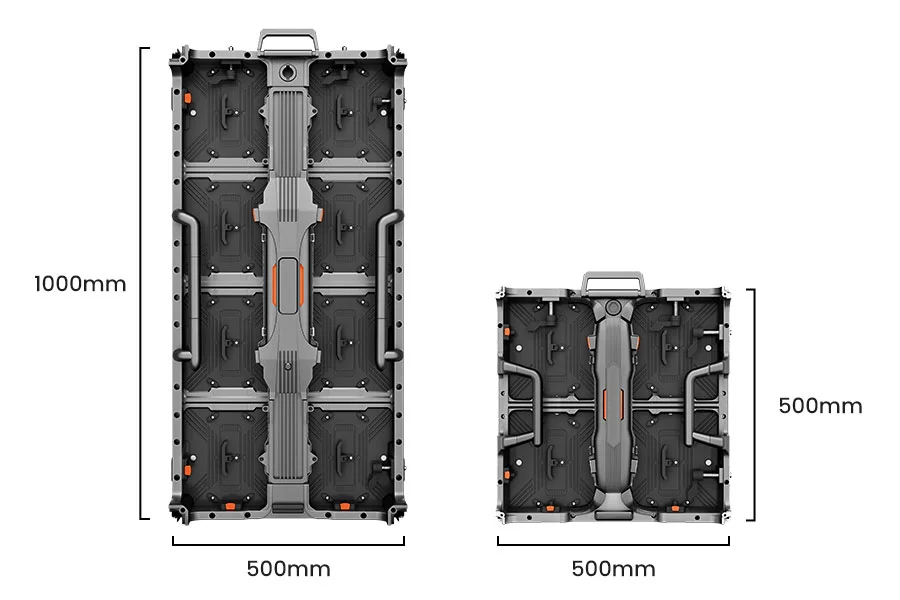
| 500 x 500 mm | P2.6, P3.9 | Screens and stages for rent |
| 640 x 480 mm | P10, P16 | Large-scale outdoor advertising |
How LED dimensions affect screen resolution
- Width: 4000 ÷ 4 = 1000 pixels
- Height (for a 2.5 m screen): 2500 ÷ 4 = 625
- Total resolution = 1000 x 625 = 625,000 pixels
This calculation shows how the same screen size with different pixel spacing can drastically alter image sharpness and cost.
Standard LED cabinet sizes
- Internal fixation: 960mm x 960mm or 640mm x 480mm
- Outdoor: 960mm x 960mm, 1280mm x 960mm
- Screen for rent: 500mm x 500mm or 500mm x 1000mm
Choosing consistent dimensions for the enclosure and module ensures easier assembly.
How to choose the right Dimensions LED
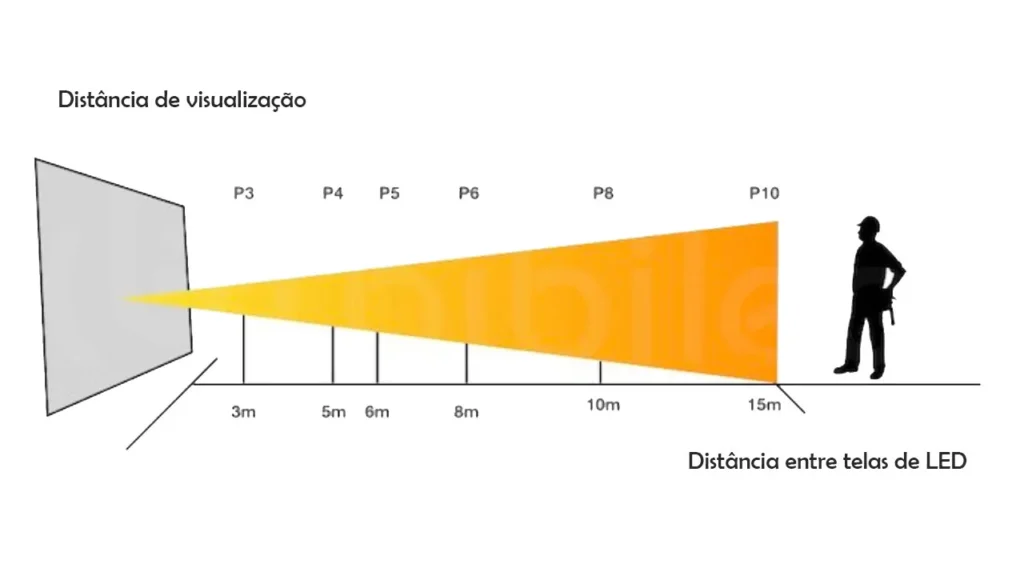
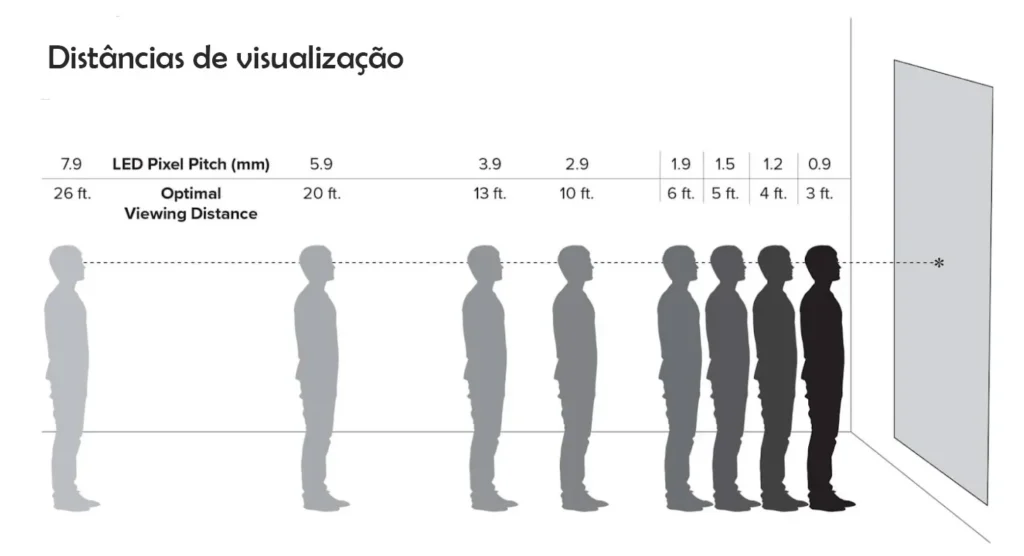
- Viewing distance: Pixels with smaller spacing (such as p2.5 or P3) are more suitable for close-up viewing, while pixels with larger spacing (P6, P8, P10) are more suitable for distance viewing.
- Installation areaMeasure the available space on the wall or structure to calculate how many modules or cabinets will fit.
- Screen ratio: Maintain common aspect ratios, such as 16:9 for video content or 4:3 for signage, to ensure proper scaling.
- Budget: Pixels with smaller spacing between them imply higher costs due to the greater number of LED chips per square meter.
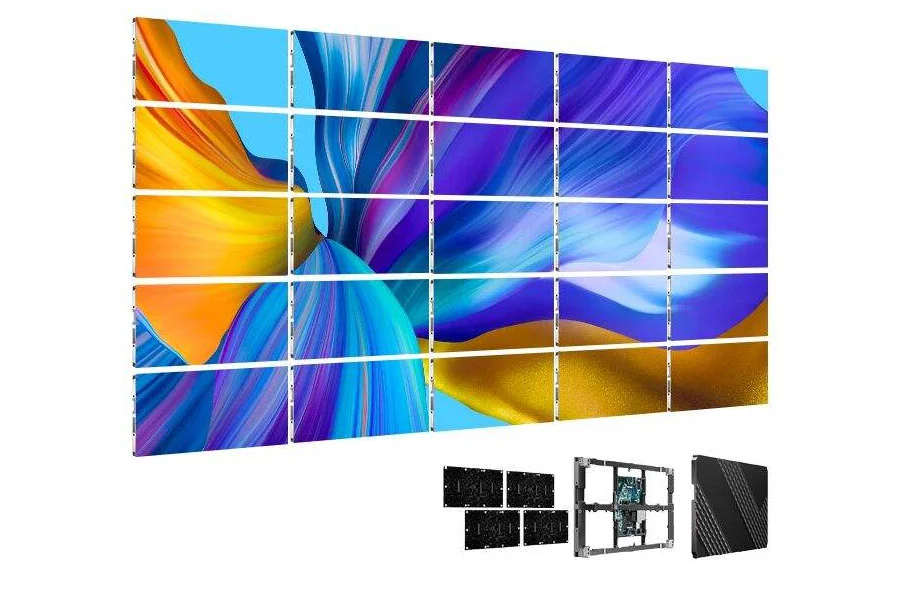
Example: Calculating the total screen dimensions
- Width: 960 x 4 = 3840 mm (3.8 m)
- Height: 960 x 3 = 2880 mm (2.88 m)
This configuration forms a 3.8 m x 2.88 m LED screen with pixel spacing depending on the chosen module.